
This section of the document covers various aspects related to the Attention Tag Zoom Speaker App.
Adding the App
Please follow the instructions below in order to install the Zoom Speaker App
- Go to marketplace.zoom.us
- Sign in using your zoom credentials
- Search for the Attention Tag Speaker App
- Click on ‘Add for Myself’ or ‘Add for Others’
This should install the Attention Tag Zoom Speaker App for you, and you should be ready to monitor engagement and take actions leveraging Attention Tag’s emotion AI and AI Assistants.
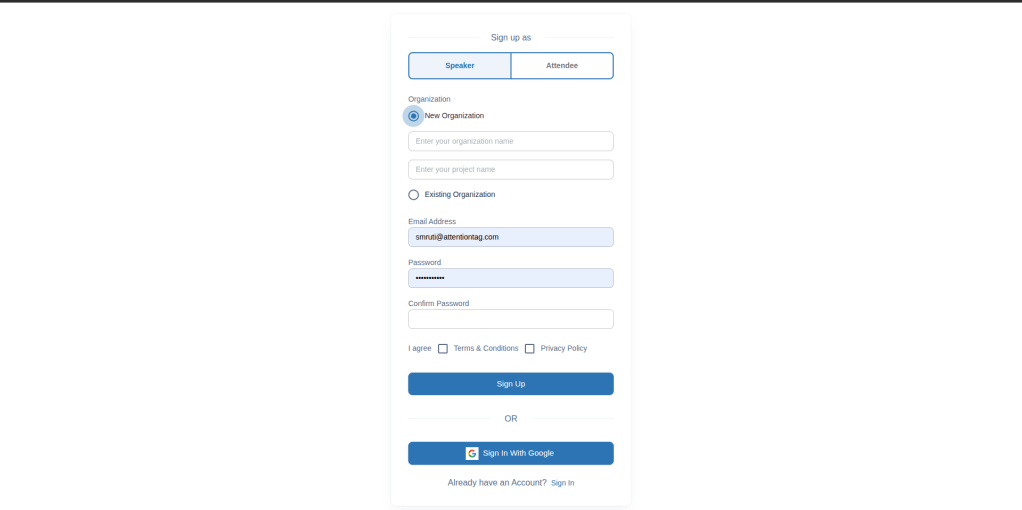
Registering on Attention Tag
- Register on app.attentiontag.com
Creating & Launching Meetings
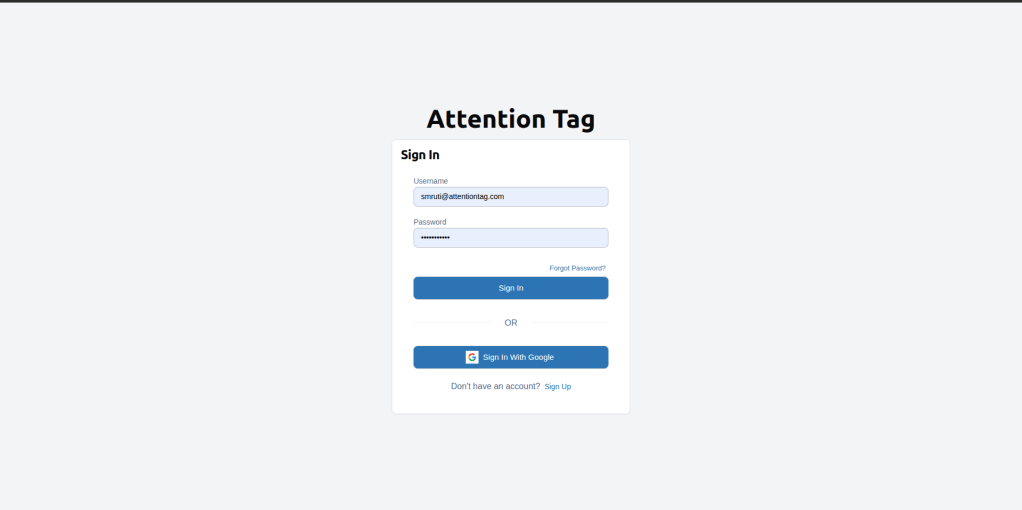
- Login to Attention tag << username: pwd >>
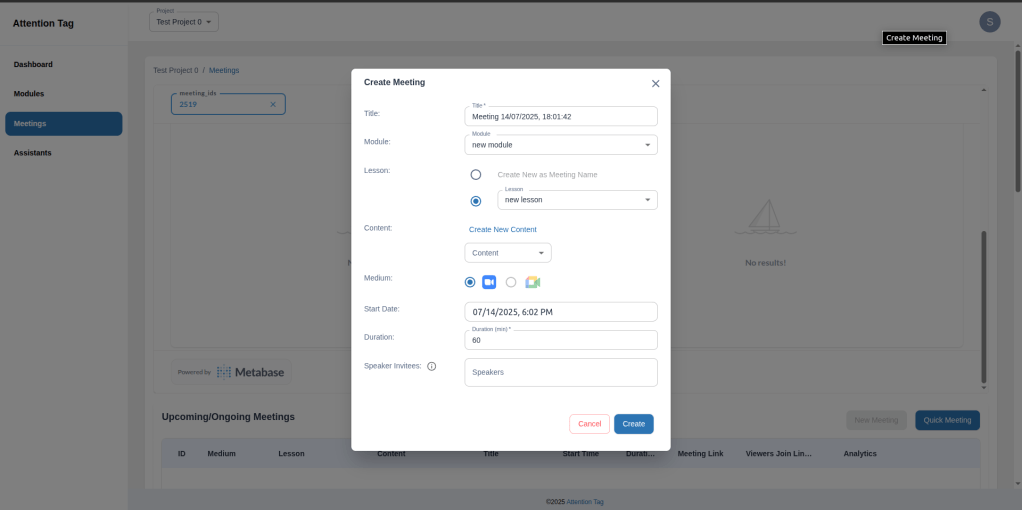
- Go to the Meetings tab on the left menu. Click on “Quick Meeting” :
- Title: < any title>
- Medium: Zoom
- Medium URL: the Meeting Link from above
- Meeting Password: the Meeting Passcode from above
- Lesson: Select one from the dropdown
- Content: Select one from the dropdown
- Start date: select the current date and time
- Duration: set it to 60 min
- Click on Add to launch the meeting
- Share the meeting link for the Viewers / Attendees to join

- In the launched Zoom App, go to Apps, click on Attention Tag speaker App
- See that the meeting details & any significant live events from the meeting are displayed
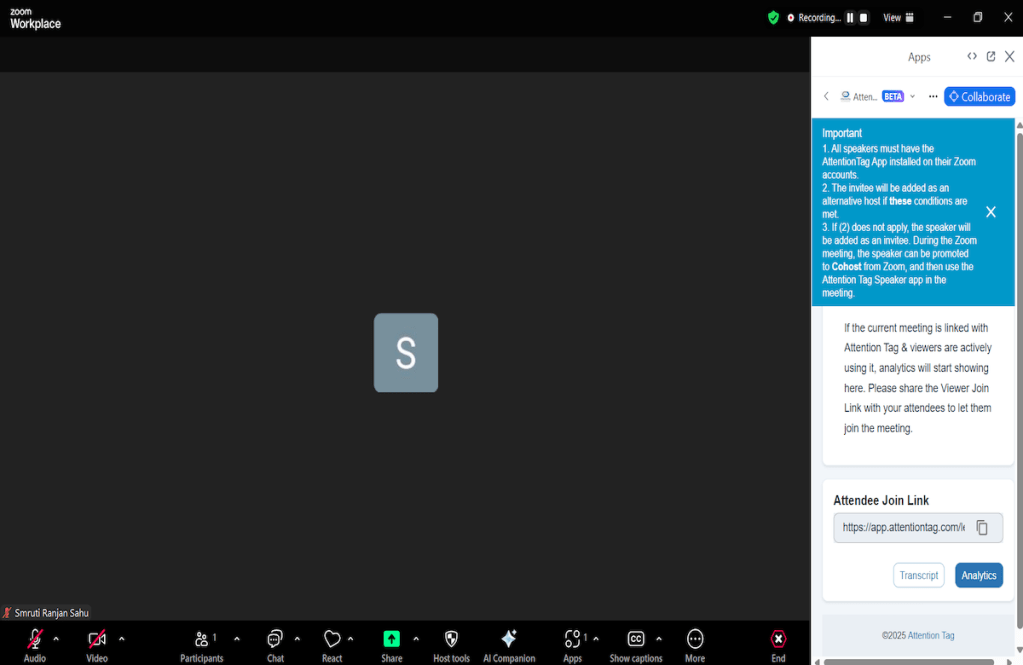

Live Engagement feed
As a Speaker, you would have a section within the Attention Tag app where you will receive a live engagement feed which gives you real time feedback, both at an individual and class level.
Joining the meeting for Attendees
Removing the App
We do hope that you find the Attention Tag Speaker App useful. However if for some reason you wish to remove the app, please follow the steps below:
- Go to marketplace.zoom.us
- Sign in using your zoom credentials
- Click on Manage at the top right of the screen
- Click ‘Added Apps on the left pane
- Find the Attention Tag Zoom Speaker App in the list of added apps and click Remove
- Select a reason (optional) and confirm Remove
Need Help?
The best way to reach us is by mailing us on support@attentiontag.com
 Attention Tag